Receiptor AI serves SMBs and tax professionals worldwide. Whether you’re wondering if our AI can handle your document formats or you’re managing receipts in multiple languages and currencies, our global support has you covered.
This ensures you maintain a centralized and accurate record-keeping system for all your international transactions.
Receiptor AI automatically recognizes and understands any language. It scans your connected email accounts to identify and retrieve receipts and invoices, regardless of the language they’re written in. Once documents are detected, the AI reads and interprets their content to extract key details, such as merchant names, dates, amounts, and tax information, using contextual understanding.
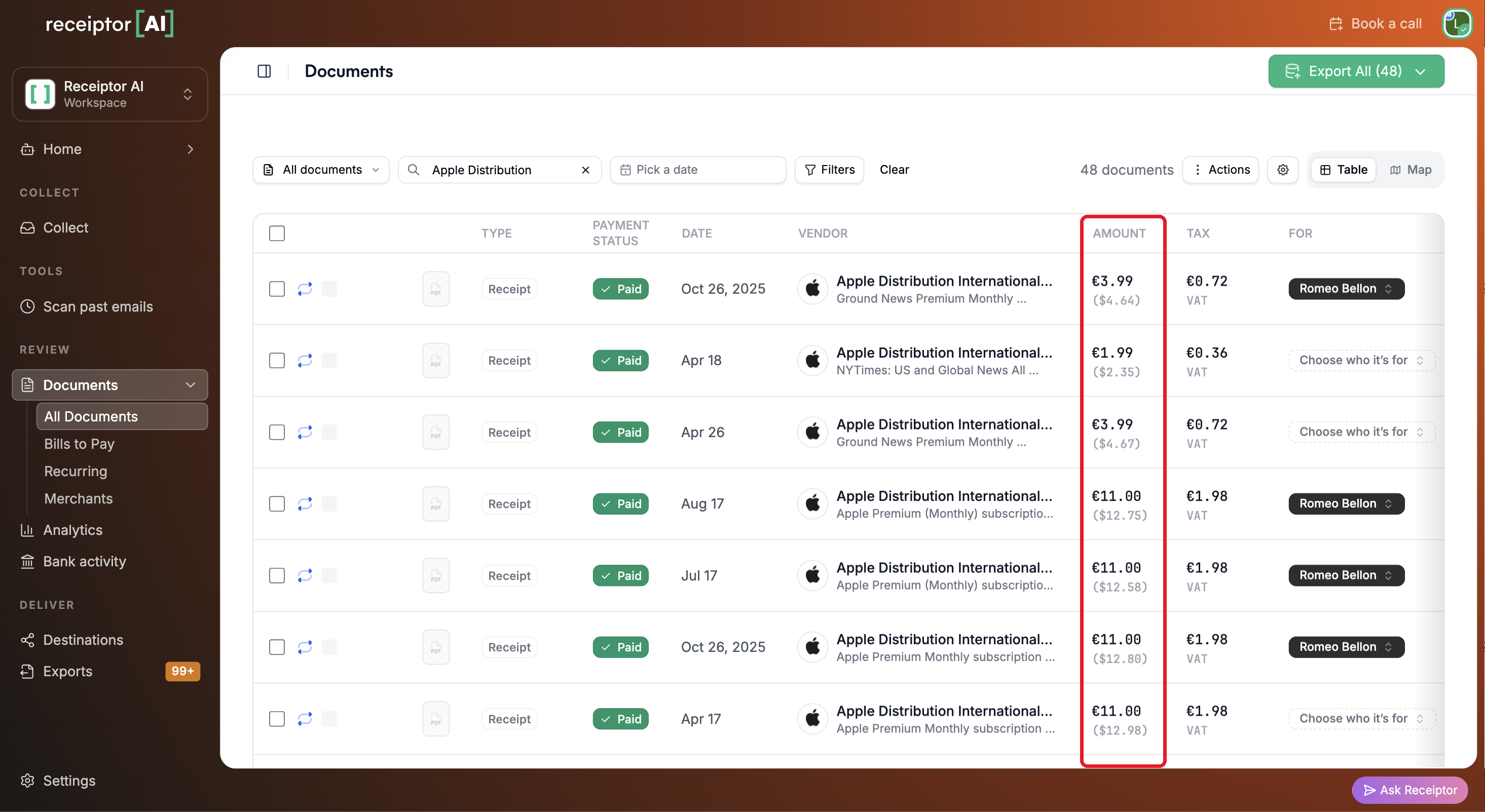
Receiptor AI can detect and extract financial data from documents in any currency, including totals, subtotals, and tax amounts. Those amounts are automatically converted to your preferred currency using the exchange rate from each document’s transaction date, so your records stay accurate and audit-ready.
Make sure the right workspace is selected in the workspace switcher (top-left corner), then click Settings at the bottom of the left sidebar. You land on the General page.
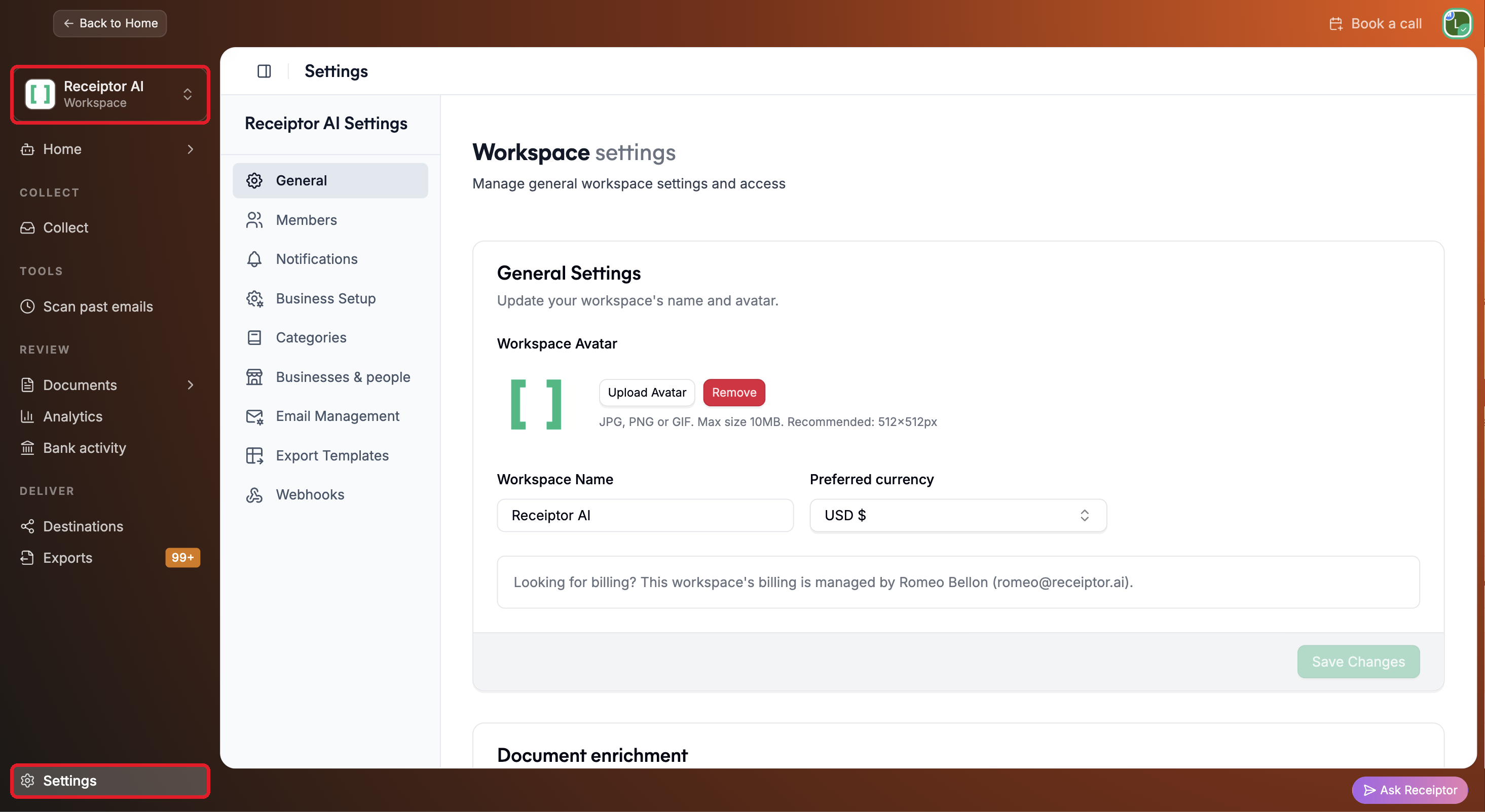
Under Preferred currency, select your workspace’s currency (e.g., USD $) and click Save Changes.
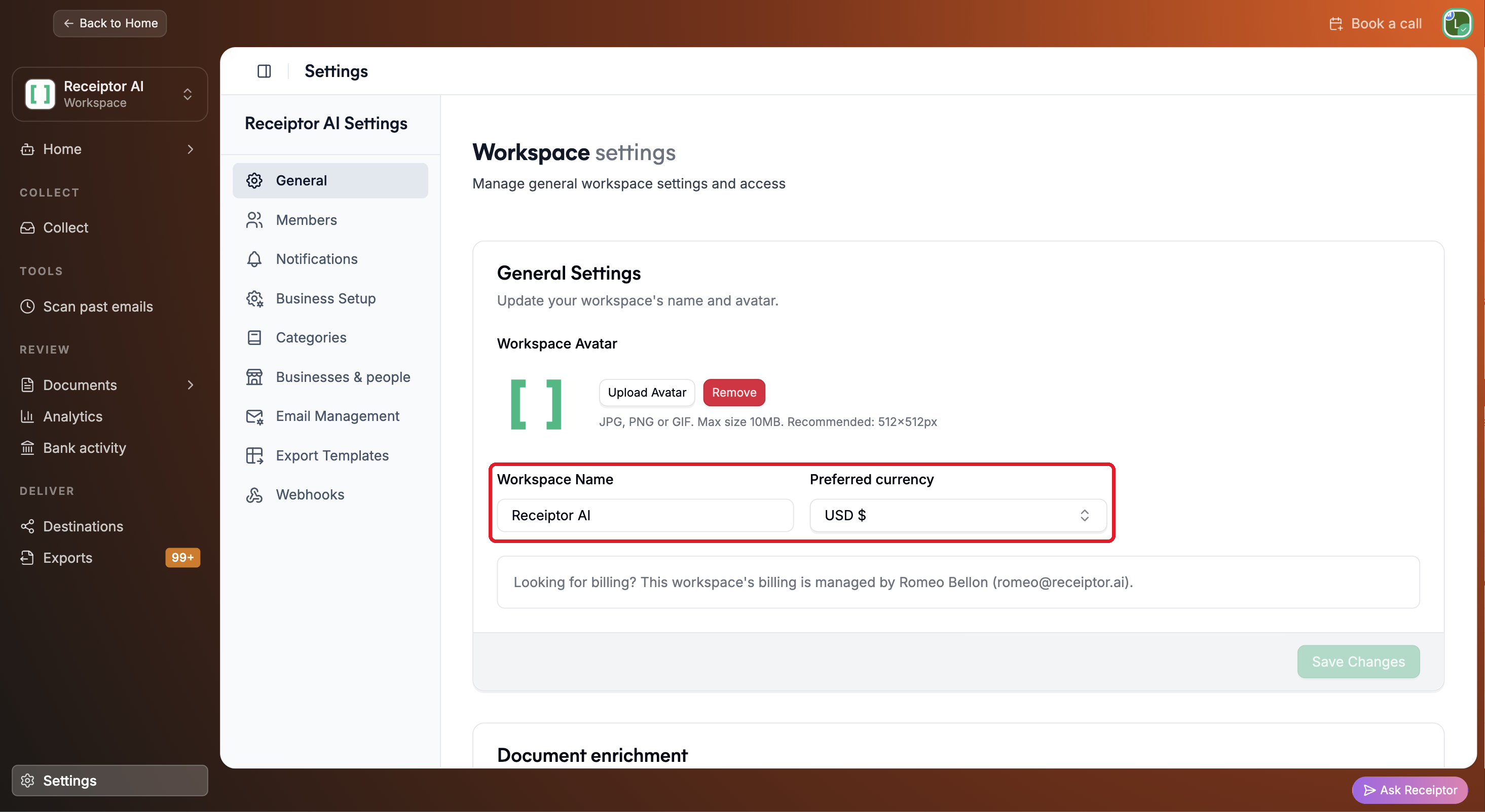
In Documents, the Amount column shows each amount in the document’s original currency, with the converted amount in your preferred currency just below it. Click the vendor name to open the detailed view.
Q: Can Receiptor AI translate the text on my documents?
A: No, Receiptor AI's primary function is to find your financial documents, understand them, and extract key financial data, not to perform a full text translation. We successfully read and extract data fields from all languages and currencies.
Q: Would Receiptor AI automatically convert the currency to my home currency?
A: Yes. Each amount is converted using the exchange rate from the document’s transaction date.
If you encounter a receipt in a language or currency that is not being processed correctly, please send a sample to our support team for immediate review at [email protected]. Your input helps us continually train and improve our global extraction models.
